
Designing a Successful Cryptocurrency Trading Platform
November 6, 2026
The First Cryptocurrency Exchanges: A Historical Overview
November 6, 2026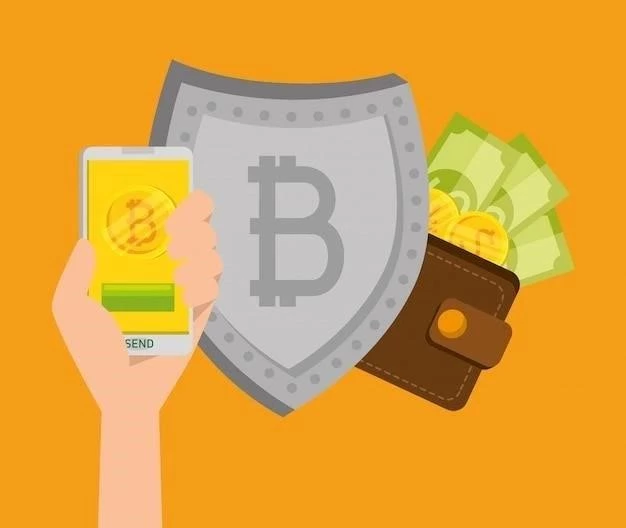
Dogecoin, the “people’s cryptocurrency,” has gained significant popularity. As your holdings grow, securing them becomes paramount. While exchanges offer convenience, hardware wallets provide the highest level of security for your DOGE. This article details everything you need to know.
What is a Hardware Wallet?
A hardware wallet is a physical device – resembling a USB drive – that stores your Dogecoin private keys offline. Unlike software wallets (desktop, mobile, or web-based), hardware wallets are immune to online attacks like malware and phishing. Transactions are signed on the device, meaning your private keys never leave it, even when connected to a compromised computer.
Why Use a Hardware Wallet for Dogecoin?
- Enhanced Security: Offline storage drastically reduces the risk of hacking.
- Protection Against Malware: Even if your computer is infected, your DOGE remains safe.
- Transaction Verification: You physically confirm transactions on the device’s screen.
- Backup & Recovery: Seed phrases allow you to recover your DOGE if the device is lost or damaged.
Popular Hardware Wallets Supporting Dogecoin
Ledger Nano S Plus & X
Ledger is a leading hardware wallet manufacturer. Both the Nano S Plus and Nano X support Dogecoin. The Nano X adds Bluetooth connectivity for mobile use. They use the secure element chip for maximum security. Price: ~$129 (Nano S Plus), ~$149 (Nano X).
Trezor Model One & T
Trezor is another well-respected brand. The Model One is a more affordable option, while the Model T features a touchscreen for easier navigation. Both support Dogecoin. Trezor is open-source, allowing for community audits. Price: ~$69 (Model One), ~$219 (Model T).
SafePal S1
SafePal offers a competitively priced hardware wallet with Dogecoin support. It features an EAL5+ secure element and air-gapped signing (transactions are created on your phone and signed on the device without a direct connection). Price: ~$49.
Setting Up Your Hardware Wallet for Dogecoin
- Purchase: Buy directly from the manufacturer’s website to avoid tampering.
- Initialization: Follow the device’s instructions to create a new wallet.
- Seed Phrase: Carefully write down your 12/24-word seed phrase and store it securely offline. This is your only recovery method!
- Dogecoin App: Install the Dogecoin app on your hardware wallet (using the manufacturer’s software).
- Address Generation: Generate a Dogecoin receiving address.
- Funding: Send Dogecoin to your generated address.
Important Security Tips
- Never share your seed phrase with anyone.
- Purchase directly from the manufacturer.
- Verify the device’s authenticity.
- Keep your firmware updated.
- Store your seed phrase in a secure, offline location.
Investing in a hardware wallet is a crucial step in securing your Dogecoin. While there’s a small upfront cost, the peace of mind and protection against theft are invaluable. Choose a reputable brand, follow the setup instructions carefully, and prioritize the security of your seed phrase.
Character count: 3398;