
Bitcoin GPU Mining Software A Guide for Individuals
September 15, 2026
The Evolution of Bitcoin Mining Software
September 15, 2026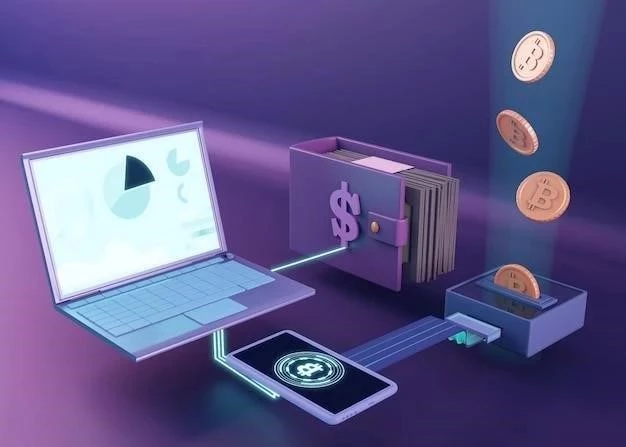
Non-Fungible Tokens (NFTs) have exploded in popularity, representing digital ownership of art, collectibles, and more. However, securing these valuable assets requires robust security measures. While software wallets are convenient, hardware wallets offer a significantly higher level of protection against hacking and theft. This article explores the world of NFT hardware wallets.
What is a Hardware Wallet?
A hardware wallet is a physical device, similar to a USB drive, that stores your private keys – the crucial credentials needed to access and manage your NFTs – offline. This “cold storage” method isolates your keys from internet-connected devices, making them virtually impervious to online attacks. Unlike hot wallets (software wallets), hardware wallets never expose your private keys to your computer or phone.
Why Use a Hardware Wallet for NFTs?
- Enhanced Security: Offline storage drastically reduces the risk of hacking, phishing, and malware attacks.
- Protection Against Keyloggers: Even if your computer is compromised, your keys remain safe on the device.
- Transaction Verification: Hardware wallets require physical confirmation of transactions, preventing unauthorized access.
- Peace of Mind: Knowing your NFTs are securely stored provides significant peace of mind in the volatile crypto space.
Popular NFT Hardware Wallet Options
Ledger Nano S Plus/X
Ledger is a leading hardware wallet manufacturer. The Nano S Plus is a more affordable option, while the Nano X offers Bluetooth connectivity for mobile use. Both support a wide range of NFTs and blockchains.
Trezor Model T/One
Trezor is another well-respected brand. The Model T features a touchscreen interface, while the Trezor One is a more basic, cost-effective choice. They also boast broad NFT compatibility.
SafePal S1
SafePal offers a competitively priced hardware wallet with a focus on user-friendliness. It supports numerous blockchains and NFT standards;
Setting Up Your Hardware Wallet for NFTs
- Purchase a Wallet: Buy directly from the manufacturer’s official website to avoid scams;
- Initialize the Device: Follow the on-screen instructions to create a new wallet and generate a seed phrase (recovery phrase). Write down your seed phrase securely and store it offline!
- Install Wallet Software: Download and install the wallet’s companion software on your computer or phone.
- Connect and Verify: Connect the hardware wallet to your device and verify the connection within the software.
- Transfer NFTs: Send your NFTs from your existing wallet to the address generated by your hardware wallet.
Important Security Considerations
- Seed Phrase Security: Your seed phrase is the key to your wallet. Never share it with anyone, and store it in a secure, offline location.
- Firmware Updates: Keep your hardware wallet’s firmware updated to benefit from the latest security patches.
- Beware of Phishing: Be cautious of suspicious emails or websites asking for your seed phrase or private keys.
Investing in an NFT hardware wallet is a crucial step in protecting your valuable digital assets. While there’s a small upfront cost, the security benefits far outweigh the expense, especially as the NFT market continues to grow.